
6. Seed
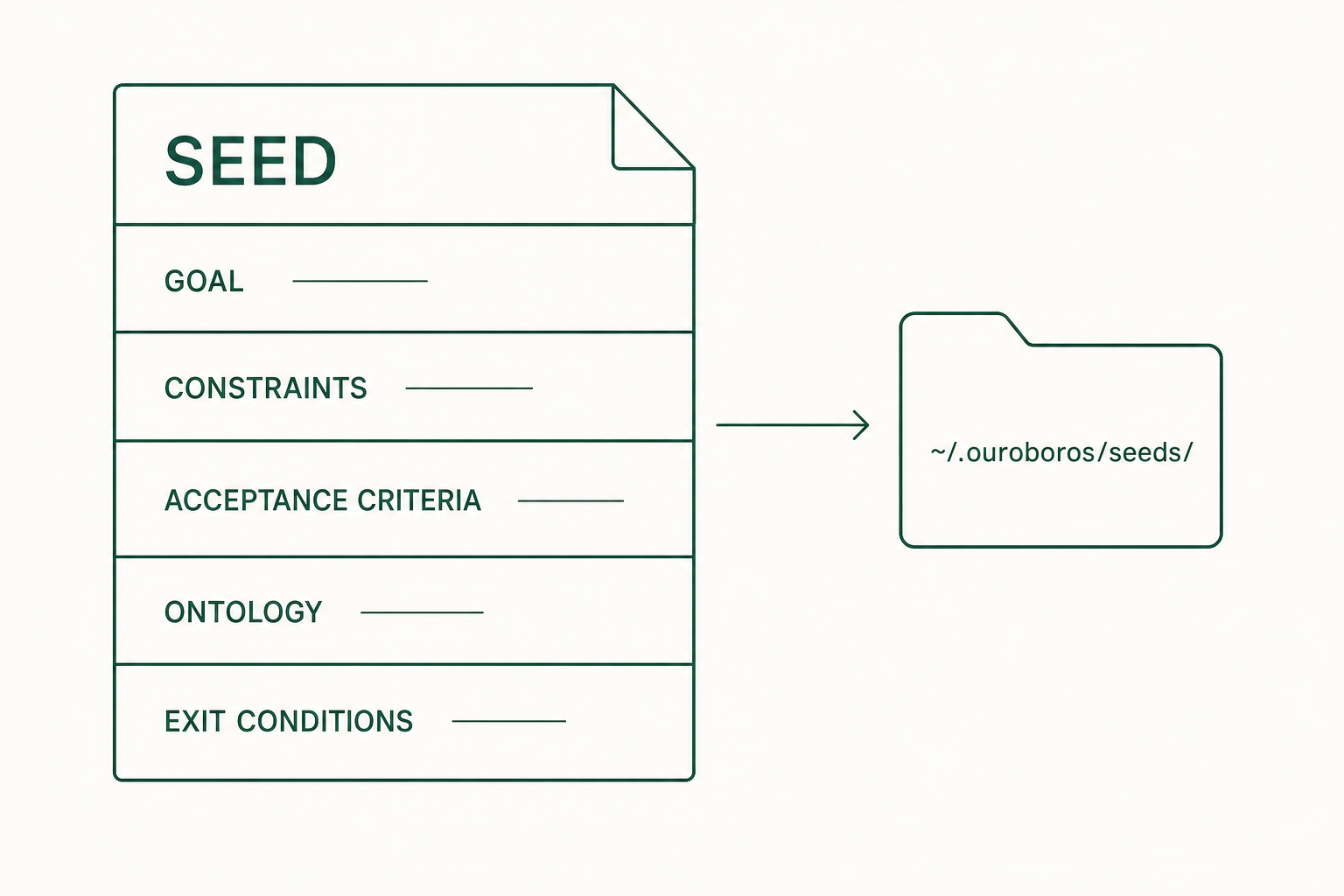
The answers from chapter 5's Interview are organized into a work-spec file called the Seed. Before running, confirm this file matches your answers.
6.1 What it is
The Seed is a YAML file holding the goal, constraints, completion criteria, and data structure. The runtime writes code against this file, and evaluation compares against it too. Once a run starts, the Seed does not change within that run.
6.2 Generate
Inside the Claude Code session, run this with the session_id from chapter 5. Same command in a Codex CLI or OpenCode session once you have set it up.
ooo seed <session_id>Expected result: a Seed is generated and saved as a YAML file under ~/.ouroboros/seeds/.
Below is a guide example that arranges the sample dialogue into the official Seed field structure. Check the actual result in the saved file.
goal: Build a web app that adds today's to-dos and marks them done
constraints:
  - Single user on a single device
  - Store in browser localStorage
acceptance_criteria:
  - An empty title is not added
  - An added to-do survives a page refresh
  - Checking a to-do shows and stores the done state immediately
ontology_schema:
  name: TodoList
  fields:
    - name: title
      type: string
    - name: completed
      type: boolean
evaluation_principles:
  - name: completeness
    description: every acceptance criterion actually works
exit_conditions:
  - name: all_criteria_met
    description: all acceptance criteria pass
metadata:
  ambiguity_score: 0.15
6.3 Field-by-field review
| Field | Content | How to review |
|---|---|---|
| Goal | What this run should produce | Check it states what a user must be able to do. Fix unjudgeable wording like "a pretty app". |
| Constraints | Limits that must hold | Check the technical, environmental, and scope limits match your answers. In the example: one user, localStorage. |
| Acceptance Criteria | Criteria for judging completion | Check each item can be verified directly on screen or by a test. Chapter 8's evaluation compares against these. |
| Ontology (YAML key ontology_schema) | Structure of the data handled | Check field names and types match the feature. In the example: title (string) and completed (boolean). |
| Evaluation Principles | Principles weighted in evaluation | Check the emphasis, such as completeness, matches your intent. |
| Exit Conditions | When the work ends | Check it states which state counts as finished. |
Non-goals (what you agreed not to build) and the assumptions made while questioning are recorded in the Ledger, not in the Seed body. Look there when you want to confirm whether "single user" was your answer or an assumption. Per the official docs, ouroboros auto --show-ledger in a standalone terminal prints this record.
6.4 Grade A
Seeds carry a grade that decides whether they may run. ooo auto starts execution only for grade-A Seeds.
| Grade | Meaning |
|---|---|
| A | No blockers and no open findings, and the coverage, ambiguity, testability, feasibility, and risk scores all pass their thresholds. May run |
| B | No blockers, but findings remain to fix. Repair and regrade |
| C | Blockers present. May not run |
6.5 Edit
If the Seed differs from your answers, fix it before running. For example, if you answered "keep completed items" but the Seed says they are deleted, that is a fix. Describe the change in the Claude Code session; a proposal appears, and it is applied once you approve. You can also edit the saved YAML file directly.
6.6 Pre-run checklist
- The Goal matches what you want to build.
- The Constraints match your answers.
- You can think of a way to reproduce each Acceptance Criterion yourself.
- The Ontology fields match the data the feature needs.
- The ambiguity_score is 0.2 or below.
Once everything checks out, run it in chapter 7.