
10. Existing projects
Up to chapter 9 the example was a fresh project. This chapter applies the same procedure to repositories that already have code, and to team work.
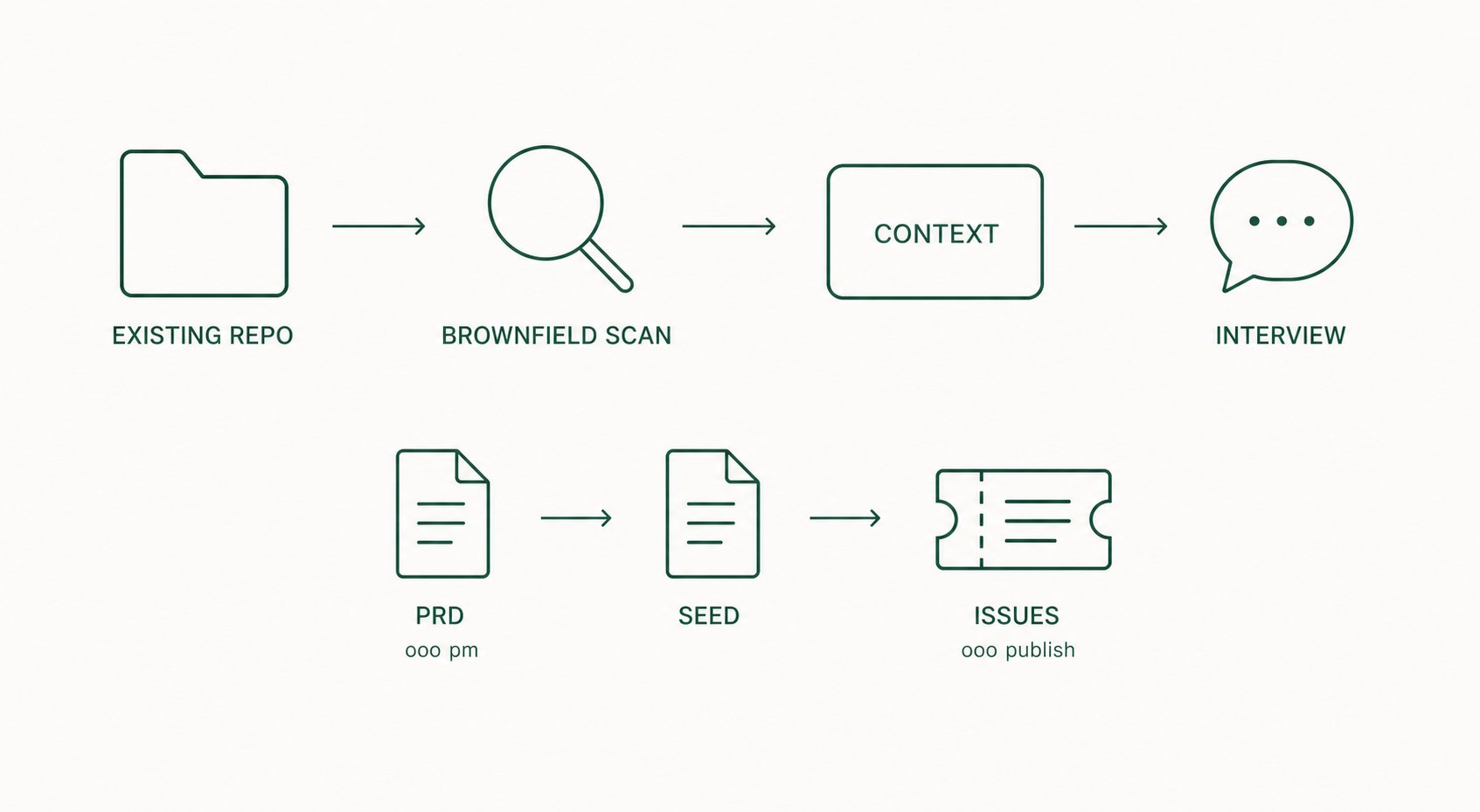
10.1 What differs
An existing repository already has chosen technology and constraints. Register it, and the Interview stops guessing like it would for a new project and asks questions grounded in the current code and constraints.
10.2 brownfield — register existing repositories
Run this inside the Claude Code session. If you installed the Codex CLI or OpenCode plugin instead, the same command works inside that session too; see Install the plugin.
ooo brownfieldExpected result: a numbered list of git repositories and worktrees appears, and you pick the ones to use as default Interview context. Select only the repositories you actually work on.
The standalone CLI exposes the same feature as subcommands of ouroboros setup instead (a different name from ooo brownfield; per the official docs and source):
| Command | Role |
|---|---|
ouroboros setup scan [SCAN_ROOT] | Scan for repositories only |
ouroboros setup list | List registered repositories |
ouroboros setup default | Toggle default repositories |
The MCP tool's action names are scan, register, query, and set_default (per docs/cli-reference.md and mcp/tools/brownfield_handler.py).
10.3 pm — organize product requirements
Use this when organizing requirements at the product level rather than for one feature. Run it inside the Claude Code session. Codex CLI and OpenCode work the same way.
ooo pmExpected result: product-level questions proceed and a PRD (product requirements document) is produced.
A PRD and a Seed are different. A PRD states what the product should be; a Seed is the work spec one run follows. A PRD is not executed as-is; feed its content to ooo interview to produce an execution-level Seed.
10.4 publish — hand work to a team
Turns a Seed into GitHub Issues a team can divide. Requires the gh CLI installed and logged in. Run inside the Claude Code session. Codex CLI and OpenCode work the same way.
ooo publish <seed_path>Expected result: the issue structure to be created is shown first; after confirmation the issues are created in the target repository.
10.5 Definition of done
- The brownfield defaults point at the repositories you actually work on.
- Interview questions reflect the constraints of the existing code.
- If team work was needed, Seed-based issues exist in the target repository.